


ASI Supplier Central provides a dashboard for managing your business with ASI. From a single, streamlined homepage, you can access the tools and insights needed to keep product data accurate, monitor performance, manage marketing activity, and stay informed without jumping between systems.
To learn more about a specific option, scroll down to the Features and Applications section or click on the feature in the image below.
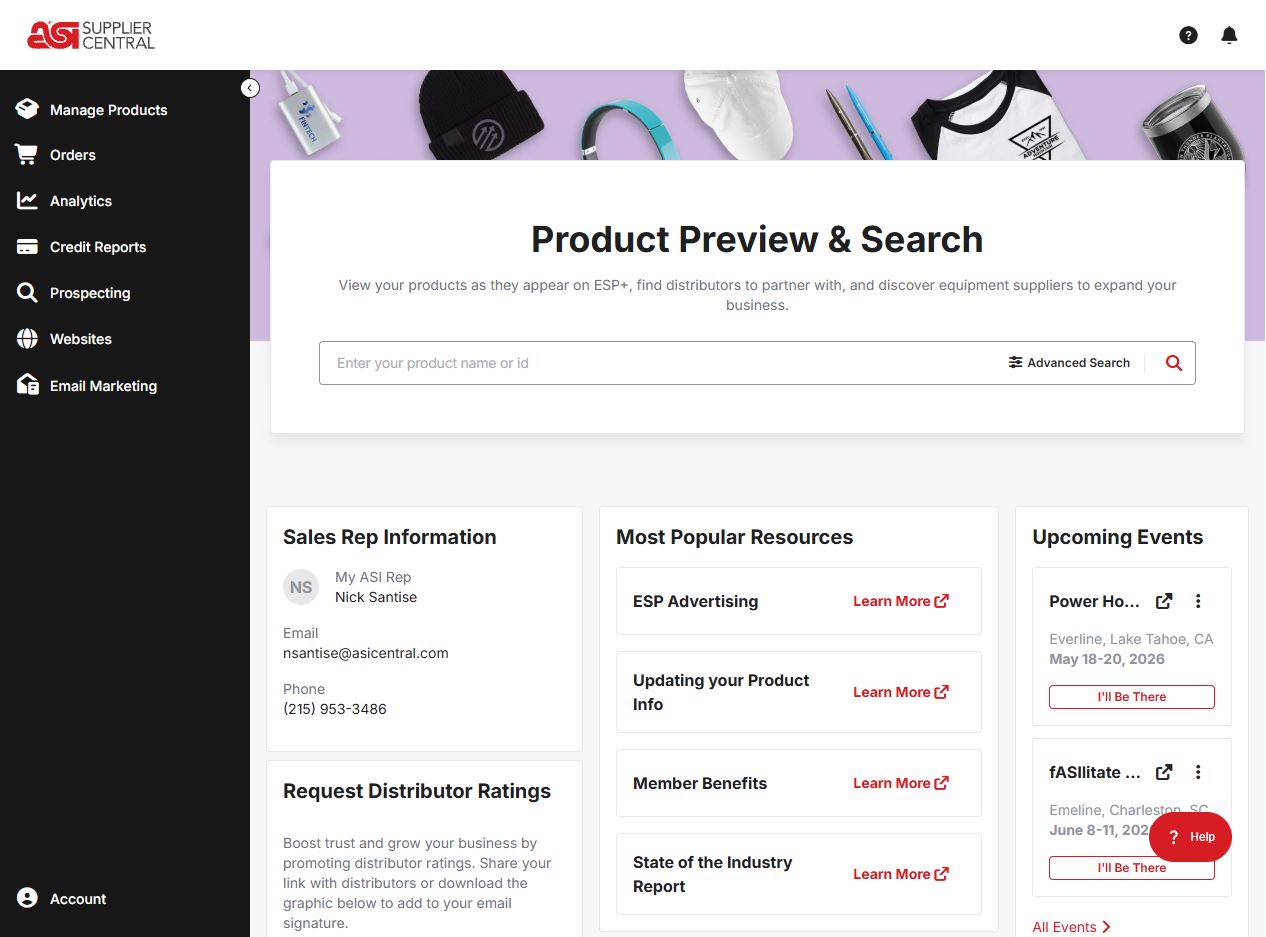
Features and Applications
- Account
Update your company profile, website, settings, license agreement, content library, ASI account contacts, and/or logout. - Analytics
Review key metrics and performance trends to better understand advertising, product activity, and engagement. - Credit Reports
Access distributor credit insights and reporting tools to support informed sales decisions. - Email Marketing
Manage and evaluate Email Express and Trigger Marketing campaigns (subscription required). - Events
Track past and upcoming events and register for new opportunities. - Help Center
Provides access to many useful resources. - Logo
Clicking on the application logo will return you to the ASI Supplier Central homepage. - Manage Products
Update and maintain product data to ensure accuracy and visibility to distributors. - Most Popular Resources
Learn more about benefits and reporting. - Notifications
The bell icon notifies you of important alerts. - Orders
Displays purchase orders placed by distributors via ESP+. - Prospecting
Helps identify, save, and download targeted lists of distributors for sales and outreach. - Request Distributor Ratings
Help boost trust and grow your business by sharing a link for distributors to rate your company. - Sales Rep Information
View the contact information for your ASI representative. - Search
Locate your products and search for equipment and distributors. - Websites
Build and manage your website.