


In the Order Management section, you can manage the Payment Management, Shipping, and Disclaimers for your site.
Payment Management
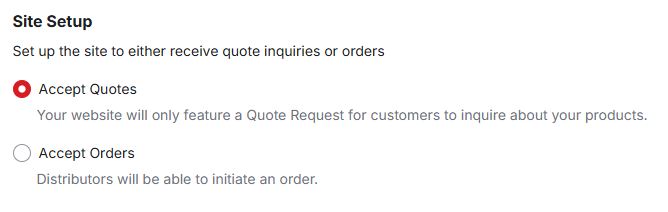
The first section, Payment Management, is where you can choose to accept quotes or orders.
Shipping
Use this section to indicate if the shipping charge that will be applied. There are three options:
- Ship Orders for Free
No shipping fee will be applied to the order. - Charge a Percentage Based Fee
Apply a set percentage shipping fee to be applied to the order price range. You can use one or multiple ranges.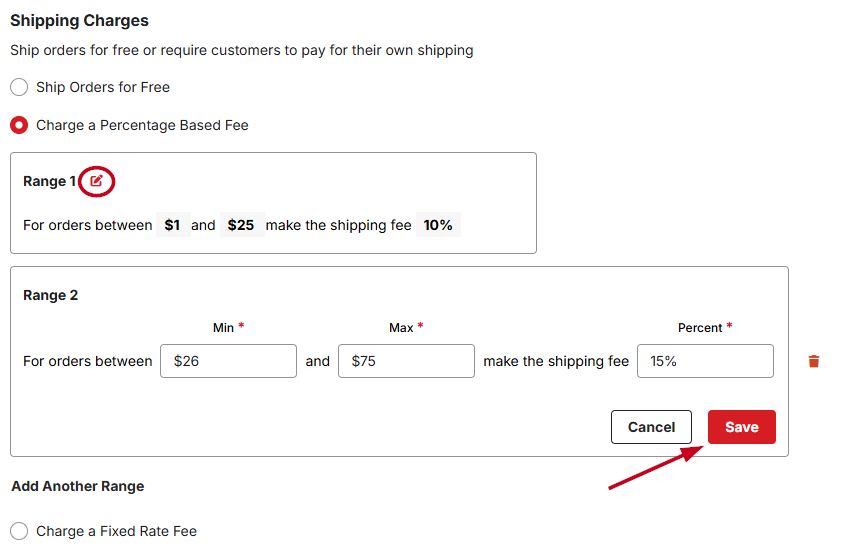
- Charge a Fixed Rate Fee
Apply a set shipping fee to be applied to the order price range. You can use one or multiple ranges.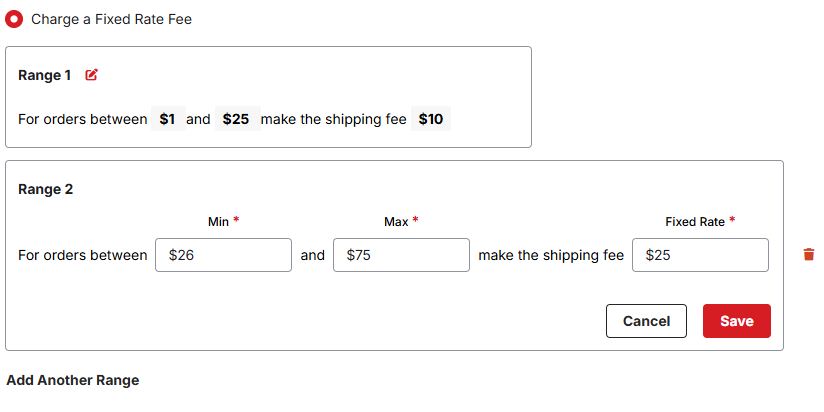
Disclaimers
The Disclaimers section enables you to choose to show specific messages during the checkout process in the Add to Cart Modal, Cart, and Order Summary Card. Use the toggle to enable each disclaimer that you want to display. To modify a message, click the Edit button and update the disclaimer text. If you do not want to have a disclaimer displayed, click on the slider to hide the message. Once you have finished, click on the "Save Disclaimer" button.