


There are several options for accessing the single transaction reporting form.
- From the Overview section:
Click on the "Report Single Transaction" button.
- From the Reports section:
Click on the three-dot icon, and select "Report Single Transaction" option from the drop-down.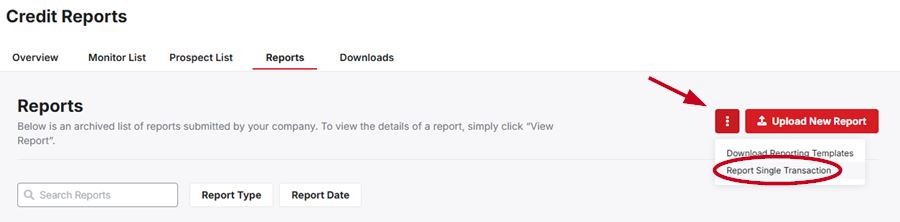
- From the Distributor Credit Report:
Click on the "Report Single Transaction" button in the Credit Report area.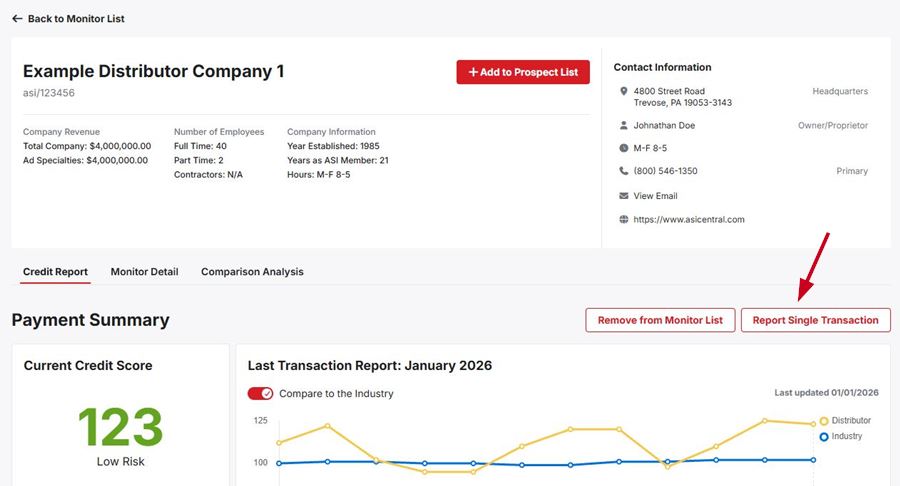
When reporting a single transaction, the required fields are:
- Distributor ASI number or company name
- Invoice amount
- Payment due date
- Amount paid
- Date paid
Though these are the only required fields, it is recommended that you provide as much additional information as possible.
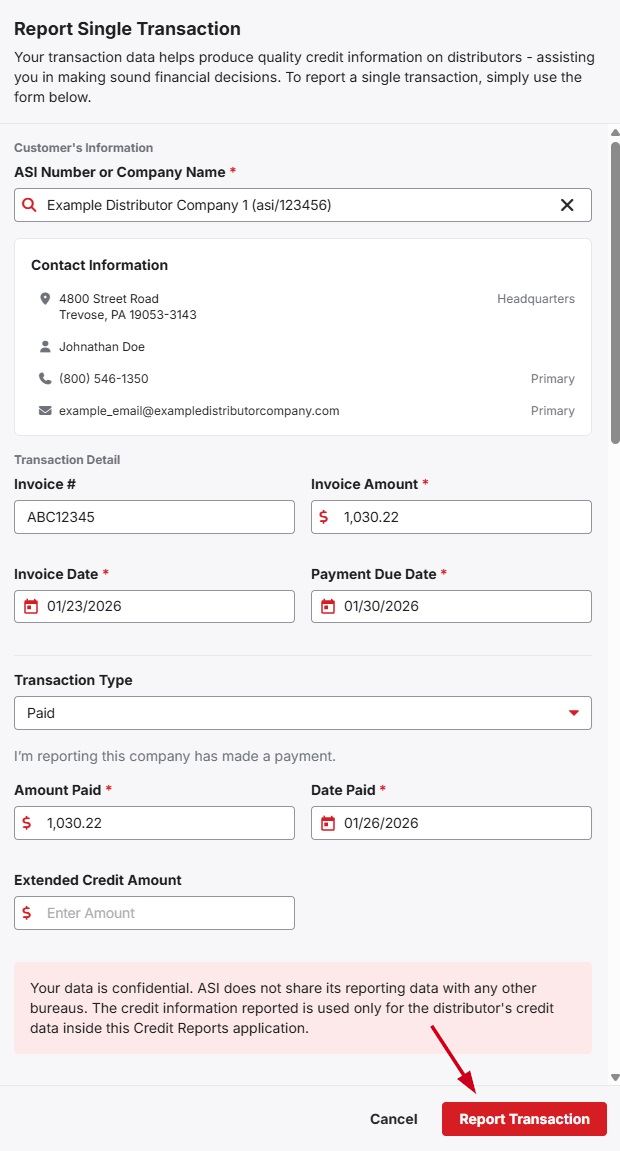
When you have finished entering information, click on the "Report Transaction" button.